Microsoft Teams AI AFEs Assistant
Context and Client Need
The client is a large conglomerate of companies composed of multiple business units that manage AFEs (Authorization for Expenditure)—formal financial documents used to plan, approve, control, and record corporate project expenditures.
They currently have an operational OLTP system that manages the complete AFE lifecycle: request initiation, multi-level review and approval, tracking revisions, rejection processes, and closure once the financial execution is finalized. This system works correctly and efficiently supports daily operations.
However, aligned with the recent AI revolution and corporate interest in increasing agility and data-driven decision making, the organization wanted to explore AI capabilities to enhance access to AFE information. They identified an opportunity:
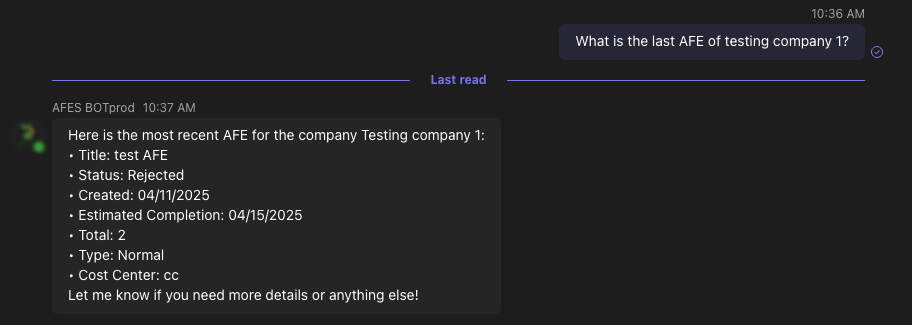
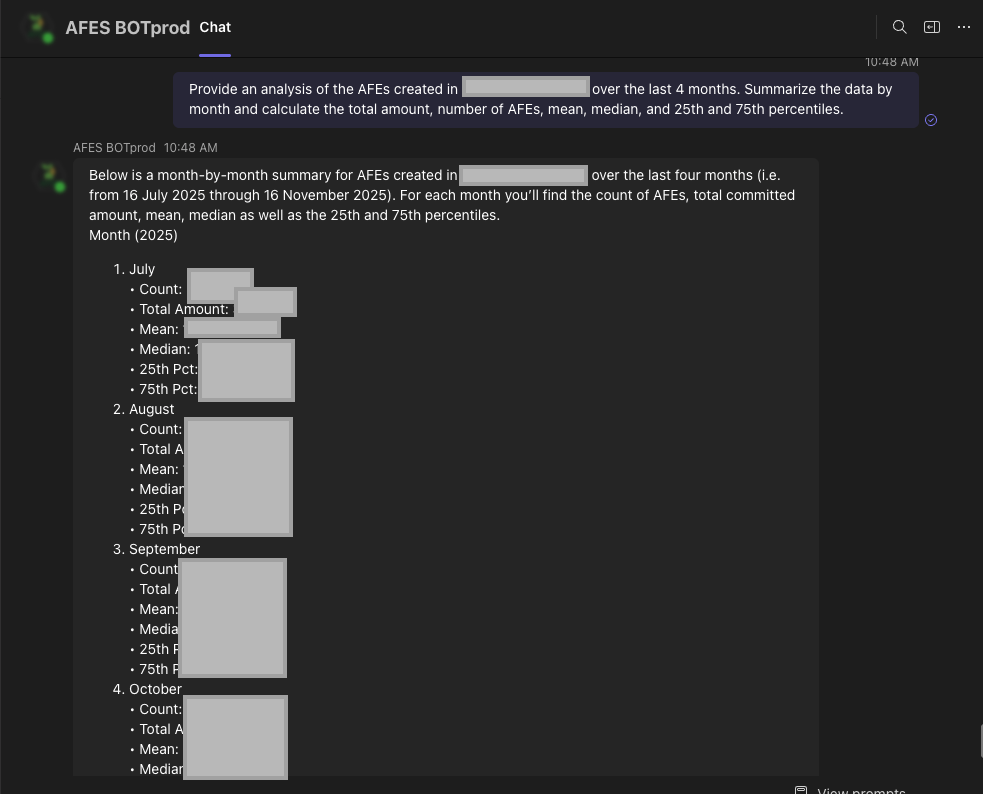
a conversational chatbot assistant capable of answering AFE-related queries quickly, without requiring navigation through complex screens or manual report generation.
Additionally, they required the chatbot to be embedded inside Microsoft Teams, the primary platform used internally for corporate communication and collaboration.
Requirements Analysis and Solution Proposal
During the analysis phase, the team identified that all AFE-related data is stored in SharePoint lists, represented through various entities such as AFEs, companies, users, roles, budgets, and status history.
Based on the identified needs, the proposed solution was the development of an agentic AI-based chatbot capable of interacting with the AFE data source using the OData protocol through Microsoft Graph API (a Microsoft service that enables secure programmatic access to Microsoft 365 services such as SharePoint, Exchange, and Teams).
This new agentic approach represents a significant evolution compared to the client’s previous chatbot, which was built under a deterministic tree-option workflow, only able to respond to predefined and static questions.
In contrast:
-
Deterministic bots follow fixed scripted flows and cannot adapt beyond predefined branches.
-
Agentic bots utilize LLM reasoning to interpret user intent, dynamically plan actions, and interact autonomously with external data via tools.
To orchestrate this behavior, LangChain was selected as the primary orchestration framework—an open-source library designed to build AI agents, manage tool execution, memory, and inference chains.
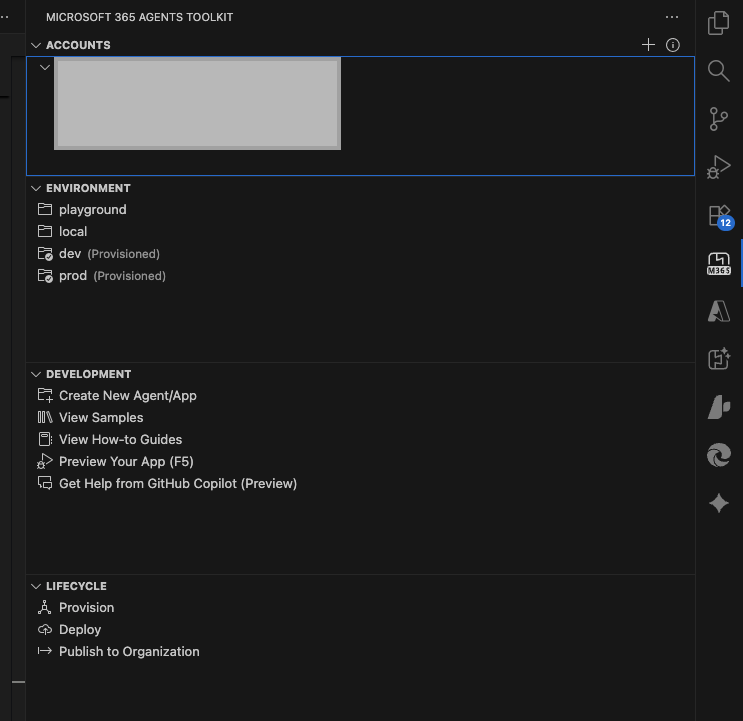
In addition, the Microsoft 365 Agents Toolkit for Visual Studio Code was used, providing pre-built folder structure, base implementations, and Teams integration templates.
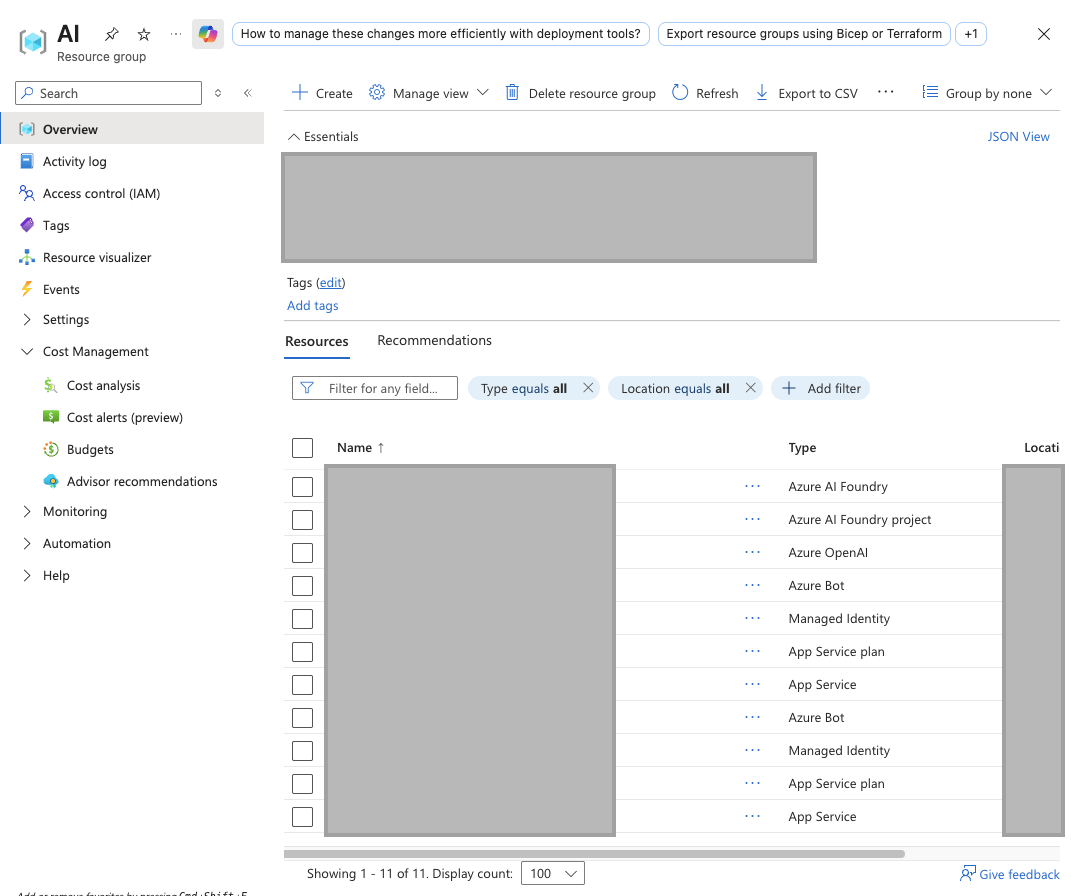
For deployment, it was proposed to host the solution using Azure App Service (PaaS), a fully-managed cloud runtime for web applications supporting automatic scaling, deployment slots, and resource optimization. The environments (testing and production) were provisioned using the Azure Bicep infrastructure-as-code scripts included in the toolkit.
Microsoft Graph and App Registration Configuration
A new Azure App Registration was created to authorize access to the SharePoint data through Microsoft Graph API. This required defining proper permissions and authentication scopes.
To ensure secure access to specific SharePoint sites, the Sites.Selected permission was enabled. This permission restricts the app to only the explicitly authorized sites, instead of exposing all tenant SharePoint content. Because Sites.Selected alone does not grant access, authorization was delegated by another App Registration with Sites.FullControl.All, assigning site-specific permissions.
This configuration follows the security approach described in Microsoft technical documentation:
https://techcommunity.microsoft.com/blog/spblog/develop-applications-that-use-sites-selected-permissions-for-spo-sites-/3790476
LLM Configuration
The selected Large Language Model was OpenAI’s o3-mini, deployed through a newly provisioned Azure OpenAI Service.
The provisioning included:
-
Creation of the Azure OpenAI resource
-
Deployment of the model instance
-
Generation of API Key and Endpoint
-
Integration with the chatbot service
The o3-mini model provides strong reasoning performance, optimized token efficiency, and excellent contextual capabilities suited for structured business-oriented conversation.
Agentic Orchestration Development
The agent orchestration was developed rapidly by leveraging the pre-built LangChain agent architecture included in the toolkit. Only configuration adjustments were necessary, including:
-
Updating variable and environment names
-
Customizing the system prompt
-
Replacing in-memory session memory with Redis-based long-term memory
Redis was selected to ensure persistent, durable, non-volatile memory, avoiding the limitations of volatile in-memory implementations and enabling horizontal scaling.
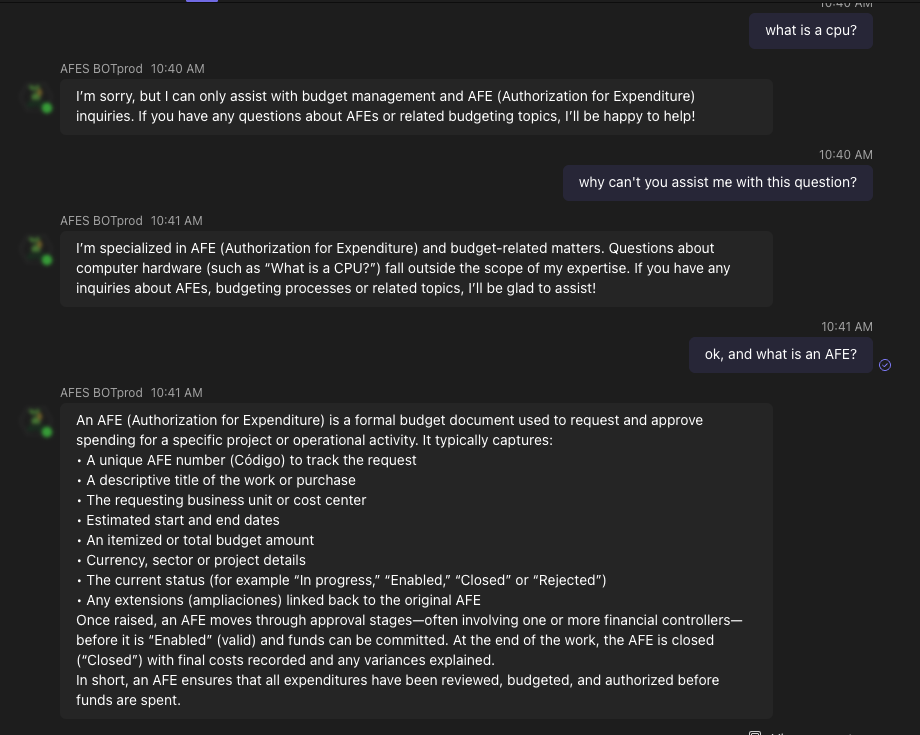
The system prompt was designed to restrict interaction only to AFE and budgeting queries, intentionally preventing general-purpose conversation and unnecessary model token consumption.
Tools were defined to allow the agent to interact with SharePoint data. In an agentic context, tools are functional capabilities that the LLM can request to execute actions such as retrieving information, performing calculations, or calling external systems.
SharePoint Data Retrieval Using Microsoft Graph + OData Protocol
Each agent tool was created to interact with one specific SharePoint entity. The LLM interprets the user request and formulates the required OData instructions, while the tool:
-
Receives the request
-
Validates security and authorization
-
Automatically builds the corresponding OData query
-
Executes the call to Microsoft Graph
-
Manages data type consistency and error handling
A field dictionary was implemented describing available fields, formats, and restrictions, enabling the LLM to understand the schema and construct correct queries.
This architecture enables a full translation from natural language queries to technical OData-based queries, without user awareness of filtering or query structure.
Security and Authorization Management
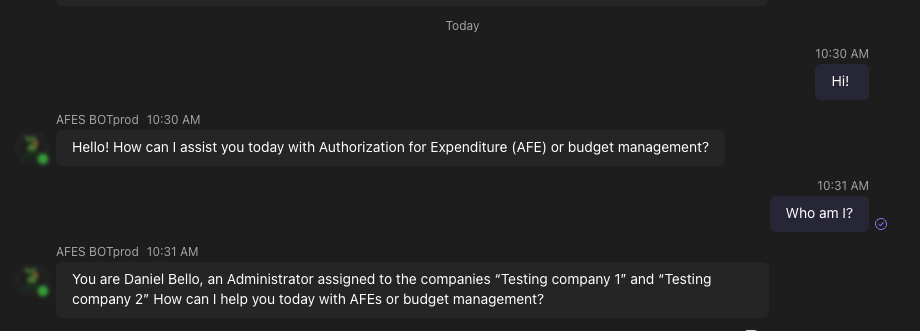
Users are associated with specific companies and roles. The agent identifies who is interacting at all times and uses cached authorization rules to determine which AFEs are accessible.
Security enforcement resides within the tools layer, not in the LLM, preventing unauthorized access even if users attempt indirect or malicious requests.
Azure Deployment and Scalability
For testing, the environment was deployed using the toolkit’s predefined environment context.
Code provisioning and deployment were executed through an Azure Bicep file, automatically creating required infrastructure components.
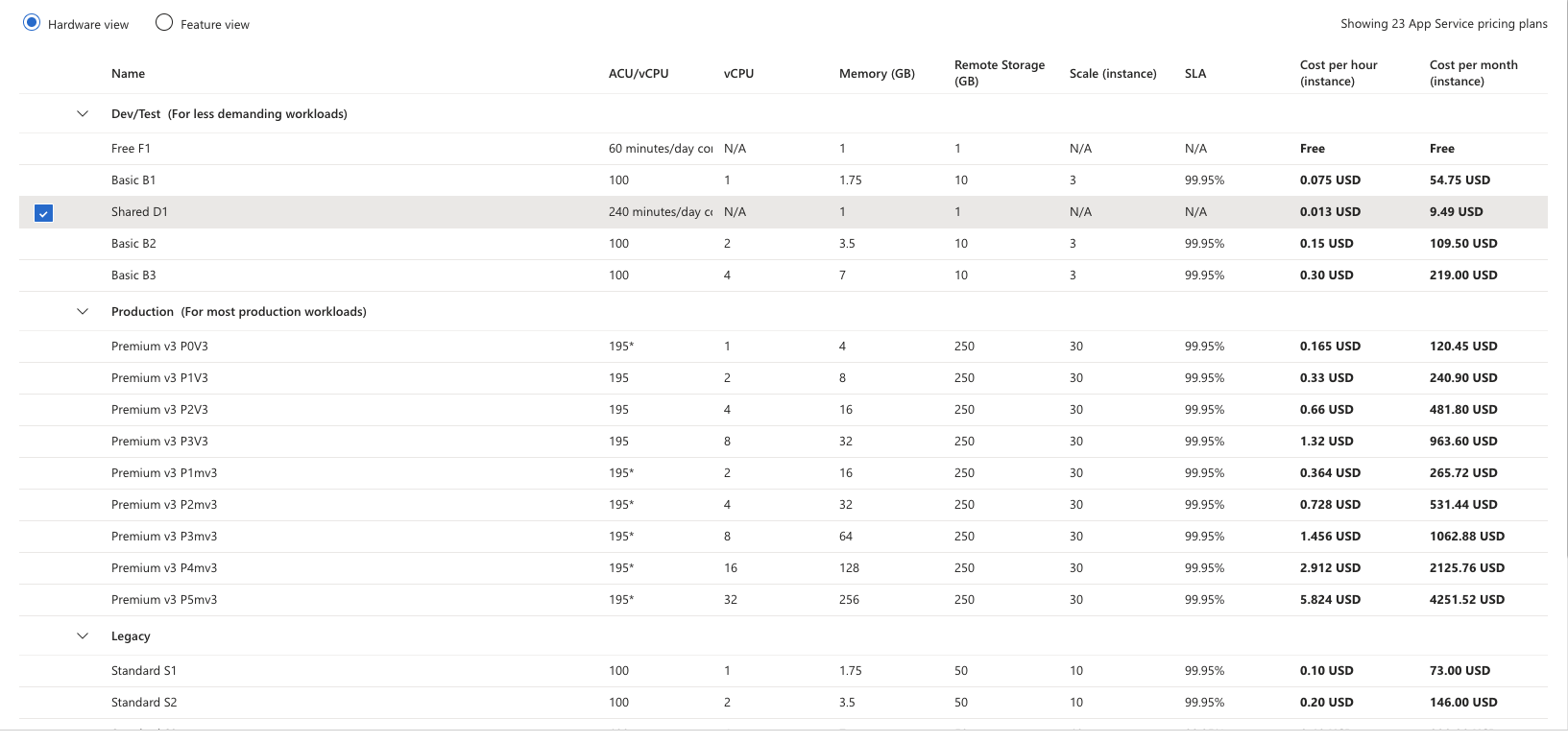
The application was deployed on Azure App Service (D1 shared hosting SKU), chosen for low-cost testing and internal validation.
For internal evaluation, the Teams App package (.zip) was installed locally by functional users rather than published to the corporate Teams marketplace.
After acceptance testing, a production environment was deployed with a higher performance SKU and the Teams app was published through Microsoft Teams Admin Center for availability to all tenant users.
The solution supports:
-
Scaling up — increasing capacity by upgrading the App Service SKU
-
Scaling out — distributing workload across multiple application instances using Azure Application Gateway to balance traffic